
How to Download Your App's Data
Grab a backup copy of your app's database in two clicks — it's yours.
Your app's data is 100% yours, and you can download a copy of it anytime. This guide shows you how to export your app's database — the place where all your app's content lives (users, records, posts, leads, settings, and everything else your app stores).
Good news: we back up your app automatically. This page just lets you download a copy of the most recent backup for yourself — nothing to set up.
Download your database
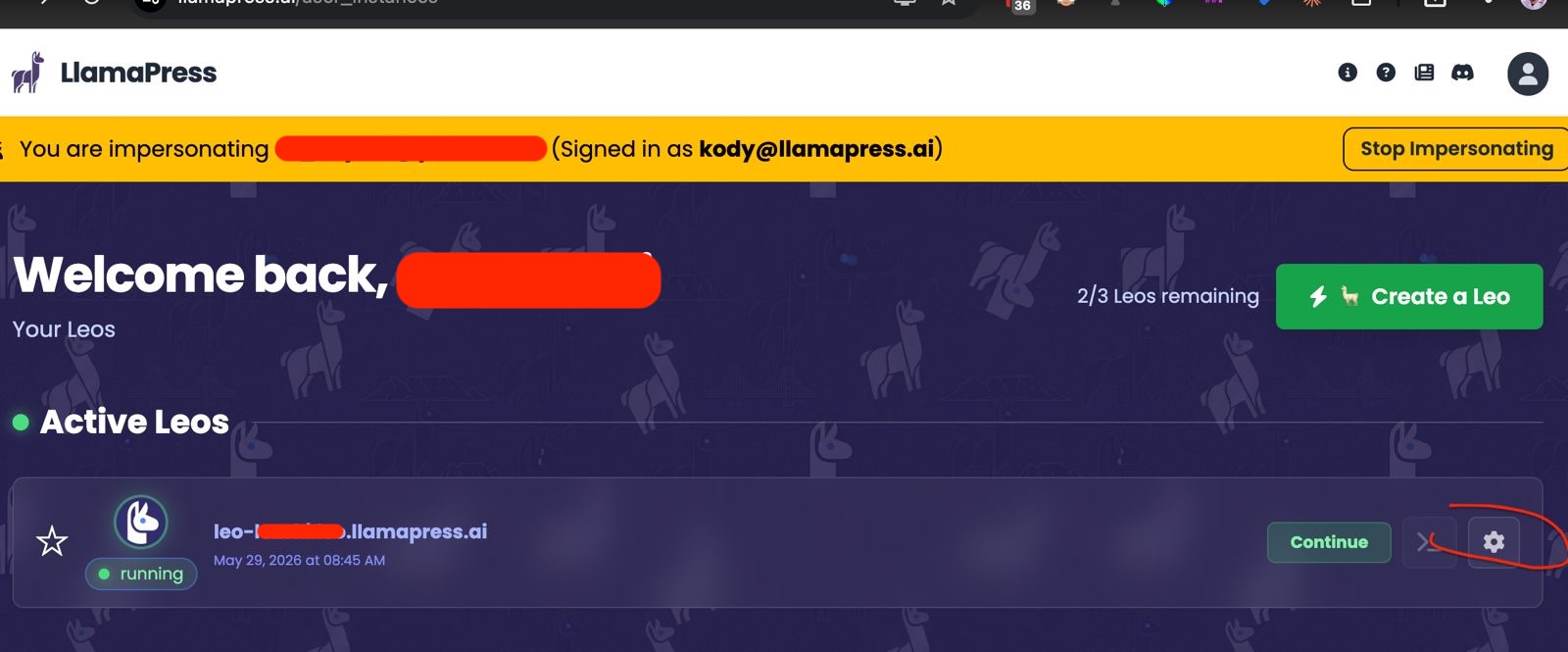
- Go to your list of Leos (your home screen at My Leos).
- Find the app you want, and click the gear / settings icon () on its card.
- On the Instance Settings page, look for the Backups & Exports section.
- Click Download database backup. Your browser will download the latest backup file.
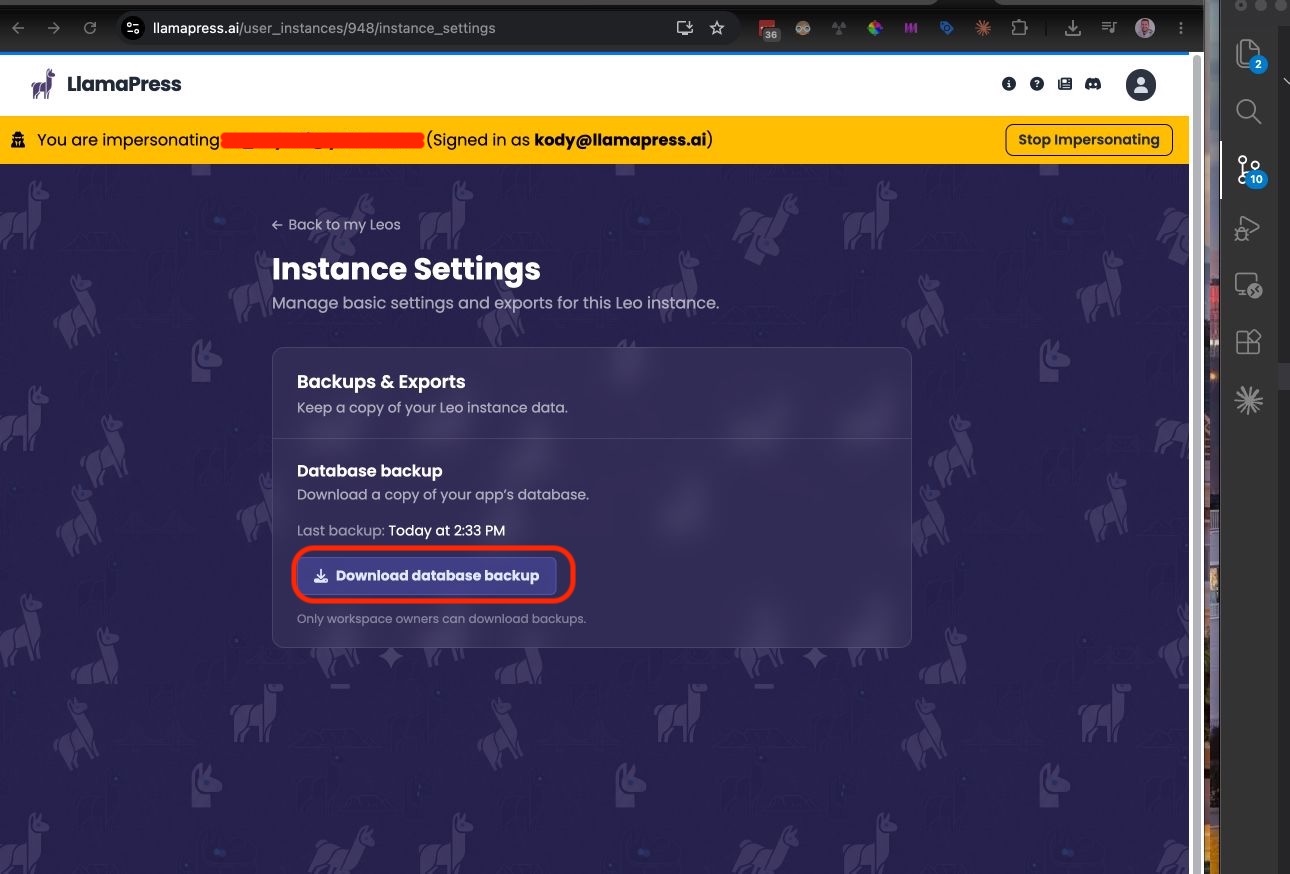
The page also shows you when the last backup was made (for example, "Last backup: Today at 10:42 AM"), so you always know how fresh your copy is.
What you get
The download is a PostgreSQL database dump — a compressed
.sql.gz file. It's a complete, standard snapshot of your app's database
that you (or any developer) can restore or inspect. This is the same format the rest of
the software world uses, so it's fully portable.
Good to know
Only workspace owners can download backups. The download is tied to your account and your app — you can only ever download your own app's data.
Your data download works on every plan, including free. Your data is yours. Downloading your source code is a separate, paid feature — see Getting Your Source Code.
It's the latest automatic backup. If you just made a big change and want it included, give it a little time for the next backup to run, then download.
No backup yet? Brand-new apps may not have a backup for a little while. If the button isn't available yet, check back after your Leo has been running.
Looking for your code, not your data?
This page downloads your data (the database). If you want a copy of your app's source code instead, see Getting Your Source Code. And to learn more about what it means to fully own and even self-host your app, see You Own Your App: Ownership, Portability & Self-Hosting.
Stuck or don't see the option? Email us at support@llamapress.ai and we'll send your export directly.