

If you are searching for the "best AI to analyze Excel data," you’ve likely hit the Spreadsheet Ceiling. Your tabs are multiplying, your formulas are becoming sentient, and you’re spending more time "cleaning" data than actually using it to run your business.
The instinct is to find an AI tool that can read your mess. You want to upload a 50MB workbook to ChatGPT or Claude and ask, "Where is my profit leaking?" or "Who is my most efficient estimator?"
But here is the hard truth from someone who builds these systems: Analyzing a broken spreadsheet with AI is just making mistakes faster.
The "Chat-with-your-Data" Trap
General LLMs like ChatGPT and Claude are incredible at summarization. They can look at a few thousand rows and give you a beautiful chart. But for a mid-market business operator in construction, manufacturing, or professional services, "summary" isn't the problem.
The problem is operational integrity.
When you use a generic AI to analyze Excel data, you are looking at a snapshot of the past. It doesn't solve the multi-user conflicts where two estimators are overwriting each other's bids. It doesn't stop a junior tech from deleting a critical lookup table in cell AA254. And it certainly doesn't provide a guided workflow for your team.
Top AI Tools for Excel (and Their Limits)
If you just need a quick visualization for a board meeting, these tools are fine. But if you're trying to scale a $10M company, they are band-aids.
- Microsoft Copilot: Great for writing formulas and formatting tables. But it keeps you trapped in the Excel environment where files are easily corrupted and lack true relational logic.
- Julius AI: A specialized "data scientist in a box." Powerful for complex statistical analysis, but it creates "outputs," not "operations."
- ChatGPT (Advanced Data Analysis): Excellent for one-off cleanup tasks. However, its "memory" is transient. You can't run a multi-million dollar bidding process through a chat window. The upload steps and the published limits are in how to upload an Excel file to ChatGPT.
Moving from Analysis to Operationalization
At LlamaPress AI, we believe the best AI for Excel data isn't one that reads your sheet—it's one that re-architects it.
Our AI agent, Leonardo, doesn't just look at your rows. It analyzes your business logic. It sees that "Column G" is actually a labor rate that should be a protected database constraint. It sees that your "Project Tracker" tab should actually be a relational table linked to your "Customer" table.
The LlamaPress Difference
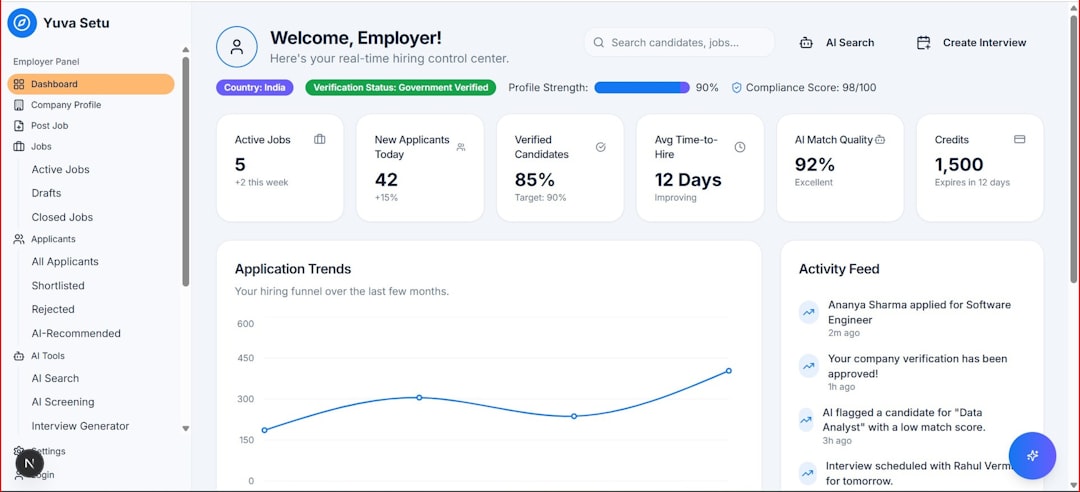
Instead of giving you a chart, Leonardo builds you a full-stack, database-backed Ruby on Rails application.
The Real Cost of "Staying in the Spreadsheet"
For a $5M–$50M business, the cost isn't the software subscription. The cost is the bid that went out with the wrong margin because a formula didn't drag down correctly. It's the customer who fell through the cracks because their onboarding "status" was just a cell colored yellow that someone forgot to update.
"Analysis" assumes the data is already good. "Operationalization" ensures the data stays good.
How to Start Your Transformation
If you are tired of being a spreadsheet operator and want to be a business owner again, it's time to stop looking for an "analyzer" and start looking for an architect.
Leonardo can take your most complex, fragile, and essential workbook and turn it into a secure, scalable web application in minutes—not months.
Stop Analyzing. Start Operationalizing.
Ready to turn your spreadsheet into a professional database application? Let Leonardo show you what's possible.
Get Started with LlamaPress