

Darren David Spencer
Ex-McKinsey Consultant and Strategic Systems Architect
I have written app development plans for a living. Discovery decks, requirements matrices, 40-page RFPs (formal requests for proposal) with scoring rubrics. Some of those documents earned their fee. Many existed only to make a committee feel safe. This guide is for the mid-market operator planning a first business app. It names the stages that still matter, the stages that got cheaper, and the stages you can skip.
An app development plan moves through seven stages: discovery, requirements, design, build, test, launch, and maintenance. A business app needs six requirements categories. Define the roles that use the app. Define the records the app stores. Define the workflows that move those records. Define the permissions that control who sees what. Define the integrations the app talks to. Define the reports the app produces. A formal RFP rarely pays off on a project under about $100,000. A two-page brief plus the spreadsheet that runs the process today does the same job faster. AI coding agents have collapsed design, build, and test from months into days. A faster build means the plan deserves less paper.
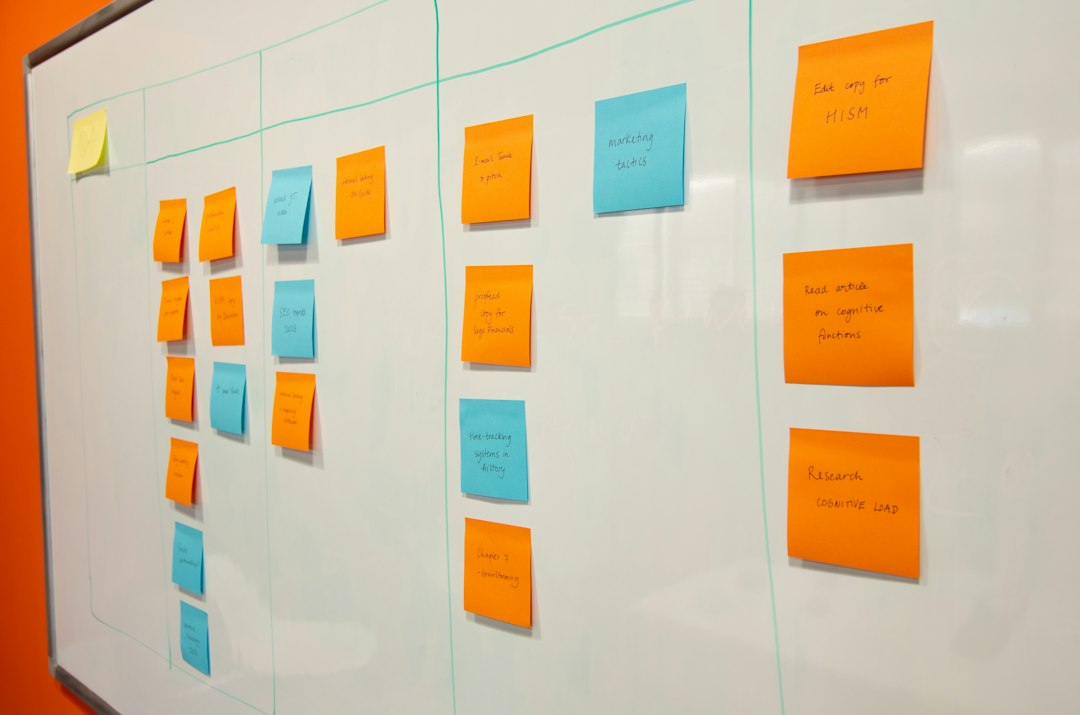
The Seven App Development Stages
Every serious development shop runs a version of this lifecycle. Shops call the lifecycle waterfall, agile, or a house name. The names change. The work does not.
1. Discovery
Discovery picks the problem worth solving. A good discovery session maps three things. Who touches the process today. Where the process breaks. What a fix is worth in dollars. One estimating lead told me a wrong bid cost them $40,000 last quarter. That number ended discovery. The stage goes wrong when the session becomes a tour of every possible want. Keep discovery to one process and one owner.
2. Requirements
Requirements turn the problem into a specification a builder can price and build. This stage wins or loses most business apps. So the requirements for an app get their own section below. Know the honest range. A competent requirements pass on a single-process app takes days. A bloated pass can eat months and make the software no better.
3. Design
Design covers two jobs that often share one budget line. Data design decides what the records are and how the records relate. A customer owns orders. An order owns line items. Screen design decides what people see and tap. Data design is the load-bearing wall. A plain screen on a correct data model beats a beautiful screen on a wrong one.
4. Build
Build means writing the software. In a traditional agency project, build is the longest and most expensive stage. Agencies bill build work in sprints across several months. AI agents have compressed build more than any other stage. A later section shows how far.
5. Test
Test proves the app does what the requirements said. Run the test with your real data and your real people. The most valuable test I know is boring. The person who runs the process today works one full day in the new app. The old spreadsheet stays open beside the new app. The gaps show up in hours.
6. Launch
Launch is migration plus adoption. You move the historical data in. You train the team. You lock the old spreadsheet. The lock matters more than any launch email. When the spreadsheet stays editable, half the team keeps living in the spreadsheet. Then you run two systems that quietly disagree.
7. Maintain
Software that runs a business changes with the business. New fields, new report formats, a new hire who needs a login, a rule that changed when you raised prices. Plan for a steady trickle of small changes forever. Ask any builder three things: who makes those changes, how fast, and at what cost. The sibling guide on how to get an app made for your business shows how to press builders on maintenance.
What the Requirements for an App Actually Need
Consultants love requirements templates with hundreds of rows. For a database-backed business app, I have never needed more than six categories. When the requirements for an app answer these six, a builder can quote and build the app.
- Roles. Who uses the app, by job. An estimating app might have three roles: estimator, reviewer, owner. Name real people while you draft. Abstract role names hide gaps.
- Records. The nouns the app stores. Customers, orders, estimates, intake forms. For each record, list the fields you track today. Mark the fields a record needs before the record can move forward.
- Workflows. How a record travels. An order goes from received to picked to shipped to invoiced. Write each step and who performs the step. Write what must be true before the next step unlocks. Here the rule "a bid over $250K needs a second reviewer" gets written down instead of remembered.
- Permissions. Who can see and change what. The warehouse sees quantities. Accounting sees margins. The client portal sees status only. Permissions are cheap to specify and expensive to retrofit.
- Integrations. What the app must talk to. QuickBooks, a payment link, an email inbox, a supplier price feed. List each connection with one sentence about which direction data flows.
- Reports. What comes out. The Monday pipeline report, the month-end margin summary, the export your accountant wants. When a report lives in a spreadsheet tab today, name the tab.
Many planning searches start with mobile app requirements. Most business apps do not need a native app in an app store. They need a web app that works well on a phone in a truck or a warehouse. Specify big touch targets, fast pages, and camera access for photos. The requirements list stays the same six categories. Add offline mode or app-store distribution only when your crews genuinely work without signal. Each of those two features roughly doubles the build.
When an Application Development RFP Is Worth It
An application development RFP makes large purchases comparable and defensible. You write a formal request. Several builders respond. A committee scores the responses. I have run these cycles. On a seven-figure system with procurement rules and many stakeholders, the discipline earns the cost.
Below about $100,000, the math stops working. A proper RFP cycle takes six to twelve weeks. The cycle burns real staff hours on both sides. Builders price that overhead into their bids. An RFP also freezes your requirements at the moment you knew the least. Then the process holds everyone to that frozen guess. The polished PDF starts to matter more than the software.
Write a two-page brief instead. Page one states the problem, the six requirements categories above, and your budget range. Page two is a link to the spreadsheet that runs the process today. Send the brief to two or three builders. Ask each builder for a small paid pilot. A pilot is a working slice of the app. Builders deliver a pilot in days and price the pilot in the low thousands. One week of clicking through a pilot teaches more than any 40-page proposal. The pilot path also costs a fraction of the RFP cycle's time.
How AI Builds Collapse the Middle Stages
The classic plan assumed build time was scarce and expensive. So the stages before build grew heavy. Teams polished the specification because every change after kickoff cost a change order. AI coding agents broke that assumption. Our agent Leonardo builds custom database-backed business software for our clients. Leonardo produces a working first version in days rather than months. Design, build, and test stop being three sequential contracts. The three stages become one short loop: see working software, correct the software, see the software again.
Some stages do not collapse. Discovery still needs a human to pick the process worth fixing. Requirements still decide whether the app matches how you actually work. Launch still needs data migration and a locked spreadsheet. Maintenance still runs forever. The stages that shrink are the stages that justified the six-month timeline and the six-figure invoice. The stages that remain need only days of your attention. So the app development plan can get much shorter without the project getting riskier.
The Best Requirements Document You Already Have
I wish someone had told my clients the next part a decade ago. When your team runs the process in a spreadsheet, the requirements work is mostly done. The columns are your fields. The tabs are your records. The formulas are your business rules. The color coding and the "do not touch" note on row 2 are your permissions model. A builder who reads that spreadsheet reads a specification your team has refined for years.
Our Excel to app process works exactly that way. You upload the spreadsheet. Leonardo treats the spreadsheet as the specification. The first working version comes back with your tables, rules, and reports in place. The seven app development stages still happen. Discovery is the call where you tell us what the spreadsheet costs you. Requirements is the spreadsheet plus a short talk about roles and permissions. The middle stages run in days. Our services team walks the plan with you before anything gets built.
Skip the 40-page RFP. Bring the spreadsheet.
Walk your process through the six requirements categories with us on one call. Then see a working first version of your app in days instead of months.
Frequently Asked Questions
What are the stages of app development?
App development has seven stages: discovery, requirements, design, build, test, launch, and maintenance. Discovery picks the problem. Requirements specify the problem. Design shapes the data and the screens. Build writes the software. Test proves the app against real work. Launch migrates data and trains the team. Maintenance handles the steady changes every business app needs afterward.
What should the requirements for an app include?
Six categories: roles (who uses the app), records (what the app stores), workflows (how records move), permissions (who sees and changes what), integrations (what the app connects to), and reports (what comes out). A requirements document that answers all six gives a builder enough to quote and build the app.
Do I need an RFP for app development?
Rarely. An application development RFP makes sense on large systems, roughly $100,000 and up, where procurement rules demand formal comparable bids. Below that line, write a two-page brief. Attach the spreadsheet that runs the process today. Send the brief to two or three builders and ask each for a small paid pilot. That path gets a better decision in a fraction of the time.
How long should planning an app take?
For a single-process business app, days rather than months. One discovery call, one requirements pass through the six categories, and one review of the current spreadsheet complete the plan inside a week. Long planning phases made sense when a build took six months. AI-built software delivers a working version in days. Size the plan to match.
Are mobile app requirements different from web app requirements?
The core list is identical: roles, records, workflows, permissions, integrations, and reports. Mobile adds questions about where people use the app. Most teams need a web app that works well on a phone, with large touch targets and camera access. Specify native app-store distribution or offline mode only when people genuinely work without signal. Each of those features roughly doubles the build.